Soft Focus — Lighting
Never put your desk here
Most spare rooms have exactly one window and no say in where it is. There are three bad arrangements, and each has a fix that does not involve moving house.
Lighting is the part of a workspace people skip, and it causes more end-of-day fatigue than any chair. The good news is that most of the fix is free — it is placement first, hardware second.
The 90-degree rule
Set your monitor perpendicular to the window. Daylight should arrive from the side, never from in front of the screen or behind it.
That single move solves most home-office glare, and it costs nothing but a rearranged desk. Everything below is what to do when you cannot make that move.
Case one: the window is behind you
The worst arrangement. Daylight lands directly on the panel and you spend the day looking at a reflection of the room, your own silhouette, and the window itself. Your eyes work continuously to separate the image from the reflection.
The fix. Turn the desk 90 degrees so the window is to one side. If the desk genuinely cannot move, a blind stops being optional — and a matte screen finish will do more for you than any lamp.
Case two: the window is in front of you
Better for the view, worse for your eyes. You are looking at a bright rectangle immediately behind a dark screen, and your pupils never settle at one aperture. That constant adjustment is what makes your eyes feel tired rather than the screen itself.
The fix. Turn 90 degrees again. If you are keeping the view — and it is a reasonable thing to want — raise the ambient light behind the monitor so the contrast between screen and background drops. You are trying to lift the darkness around the screen, not dim the window.
Case three: there is no window
Do not fight this with one bright ceiling light. A single strong overhead source gives you hard shadows and a flat, institutional feel.
The fix. Use two softer sources at different heights — a task light on the desk and a lamp bounced off a wall or the ceiling. Two soft sources read as far more natural than one strong one, and the shadows stop being harsh.
Which way your window faces
Once the desk is side-on, the compass decides what kind of day you get. Northern hemisphere; reverse north and south below the equator.
| Facing | Light you get | What to do |
|---|---|---|
| North | Soft, indirect, steady all day | Nothing. This is the best light to work in. |
| East | Bright and direct early, gentle later | A blind for the first two hours. |
| South | Strong and direct most of the day | Sheer curtain to diffuse. Never sit facing into it. |
| West | Dim mornings, harsh low glare from mid-afternoon | The hardest. Blind plus a task light — low sun defeats most screens. |
The numbers worth hitting
IES office recommendations put general desk work at 300 to 500 lux, and closer to 500 for reading and writing on paper. Keep the immediate surroundings above 300 lux so your eyes are not constantly re-adjusting between a bright desk and a dark room.
For colour temperature, 3500K to 4500K during the working day. Drop to 2700K–3000K in the evening.
If you work past sunset, lower your monitor brightness to match the room rather than leaving it at daytime levels. Most end-of-evening eye strain is not blue light — it is a bright screen in a dim room and a pupil fighting the difference.
Two placement mistakes worth naming
- A lamp beside the monitor. It puts light straight onto the panel, which is the thing you were trying to avoid. Use a monitor-mounted bar, or place the lamp behind the screen so it lights the desk instead.
- A task lamp on the same side as your writing hand. Your own hand casts a shadow on the page. Right-handed means the lamp goes on the left.
The one piece of hardware worth buying
A monitor light bar clips to the top edge of the screen and throws light forward onto the desk, with none of it landing on the display. No glare, no lamp occupying surface, and no overhead fixture washing you out on calls.
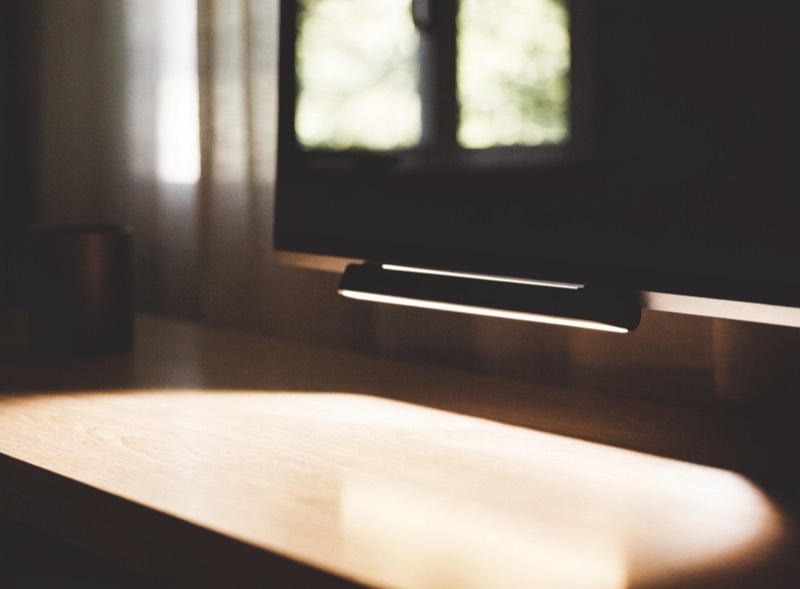
BenQ ScreenBar Monitor Light
Solves the most common home-office lighting fault — a ceiling light behind you putting a reflection on the screen and a shadow on the desk at the same time.
If the budget only stretches to one lighting purchase, make it this one. It does more for comfort per dollar than anything else in the room.
A note on plants
Most desks are too dark for a plant to survive, which is why the plant on your desk keeps dying and being replaced. If the workspace is far from the window — and by now you have deliberately moved it side-on, so it might be — a clip-on grow light is the difference between a plant and a series of plants.
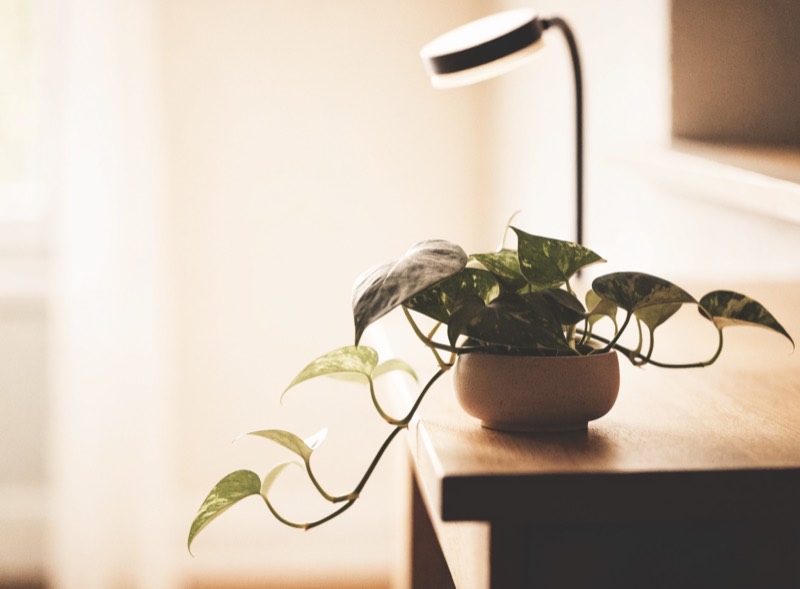
Clip-On Full-Spectrum Grow Light
Full spectrum, clips to a shelf or the desk edge. The reason a desk plant survives past month two in a room with one window.
The Home Office Setup Guide
Eighteen pages: the six measurements with a printable worksheet, three complete builds with every piece listed, a lighting plan for awkward rooms, and small-desk layouts. Free.
Get the guide