Soft Focus — Cable management
Cable management ideas that make any desk look expensive
Nothing else on a desk gives back so much for so little. The furniture stays the same; the room stops looking unfinished.
Look at any desk photograph you have saved and admired. The surface is probably ordinary — a rectangle of oak or white laminate. What it does not have is a grey nest underneath, or a power strip on the floor with six cables fanning out of it.
Cable management is the least glamorous change you can make and reliably the most visible. It costs under forty dollars and one afternoon, and it works on whatever desk you already own.
Why it matters more than it should
The obvious reason is visual. Cables are high-contrast, irregular and travel in every direction, so the eye lands on them before anything else. Remove them and an ordinary desk reads as considered.
The second reason is the one people miss: visible cable is stolen surface. You do not put a mug where a charging lead crosses the desk. You do not set a notebook down on a tangle. On a small desk this quietly removes a third of the usable area, and you will not notice you are avoiding it.
Before buying anything, unplug everything and count what is actually in use. Most desks carry two or three cables for devices replaced years ago. The cheapest cable management is owning fewer cables.
1 · Get the power strip off the floor
The highest-return move, and free if you have zip ties. A power strip on the floor means every cable travels down, along and back up. Fix it under the desk — screwed, taped or strapped to a leg — and the whole vertical run disappears.
Do this before buying anything, because it may be all you need.
2 · A tray for the slack
The remaining problem is length. Cables come in one size and the excess has to live somewhere. A tray gives it a home that is neither the floor nor the desk.
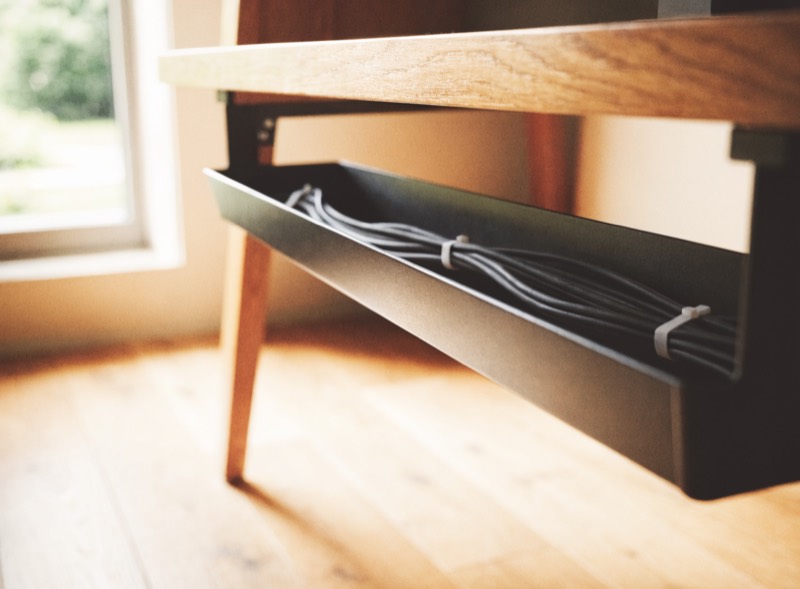
Under-Desk Cable Tray Kit
Clamps or screws underneath and takes the power strip, the excess length and any adapters. No drilling if you use the clamp fixing. This is the piece that does most of the work.
Do not bundle tightly. Tight bundles look neat for a week, then one device moves and you undo the whole thing. Route it loosely and you will keep it.
3 · Give the surface a defined edge
Once the cables are gone, the desk itself becomes what you notice. A large mat warms a cold laminate or glass top and gives everything a boundary, so items stop drifting into the middle.
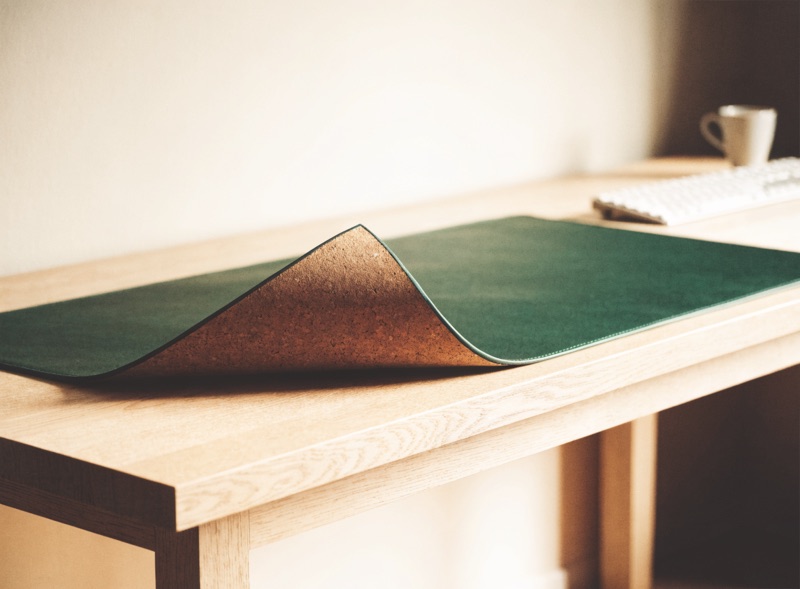
Large Cork Desk Mat, 47×17″
Cork rather than the usual black polyester, which is what makes it read as furniture rather than gaming kit. Large enough for keyboard, mouse and a mug without crowding.
4 · Reduce what needs a cable at all
The end state is fewer wires, not better-hidden ones. Wireless peripherals remove the two most visible leads on the desk — the two that cross the surface directly in front of you.

Keychron K8 Wireless Keyboard
Wireless, and tenkeyless — no number pad — which also gives back about four inches of width and brings your mouse hand closer to your body.
The order matters
Strip up, slack into a tray, mat down, then reduce. In that order each step makes the next one smaller. Backwards, you buy a tray for cables you could have eliminated.
The tray and the mat together run about $37. It is the cheapest change on this site and it alters a room more than things costing ten times as much.
The Home Office Setup Guide
Eighteen pages: the six measurements with a printable worksheet, three complete builds with every piece listed, a lighting plan for awkward rooms, and small-desk layouts. Free.
Get the guide